EndlessWar Launcher
Launcher and updater for the EndlessWar game server: client updates with mirrors, multiple accounts with auto-login, self-update and built-in diagnostics
Desktop launcher and updater for the EndlessWar game server (Lineage II). Downloads and updates the game client from several servers, keeps accounts and starts the game with auto-login, updates itself from a signed manifest and fixes common launch problems. A single EXE, no .NET install required.
The old launcher could not update itself: players installed every new version by hand.
Client download depended on a single server: when it slowed down or went offline, the whole update failed.
Support kept getting the same tickets: Defender removed files, the clock drifted, a stuck game process held files, proxy or hosts entries broke the connection.
Players needed several game accounts in one window, safely stored passwords and a game start without typing credentials.
The launcher was rewritten from scratch on .NET 10 and WPF; a native C++ bootstrap runs before managed code and verifies dependencies and the environment.
A custom update engine: server catalog and mirrors, CRC32 verification, LZMA decoding through 7-Zip, gentle modes for weak PCs and bad networks.
Self-update from an ECDSA P-256 signed manifest: the launcher downloads the installer, checks its SHA256 and installs the new version itself.
A built-in “Launch problems” helper and a separate diagnostics script for support close most tickets without manual investigation.
NSIS installer with a native helper: SHA256 verification of every package file, path-substitution protection, clean uninstall that keeps the game.
- 01Server catalog and mirrors: a file that failed on one server is taken from another; a failing server moves to the end of the queue for the whole session
- 02CRC32 verification and download of changed files only; switching servers never re-downloads what is already on disk
- 03LZMA archives are decoded through 7-Zip at below-normal priority so the game and browser stay responsive during updates
- 04“Gentle download” mode: one file at a time, slower but more reliable on weak PCs and unstable networks
- 05Soft mode after the first decode failure plus delayed retries; a systemic failure is reported immediately instead of after a dozen errors
- 06Updates wait for every game process to exit: busy files are never overwritten and never produce a false “corrupted file”
- 07Full verification of all client files on demand and a “launch without check” option for experienced players
- 01Several game accounts in one launcher and several game windows under different accounts at the same time
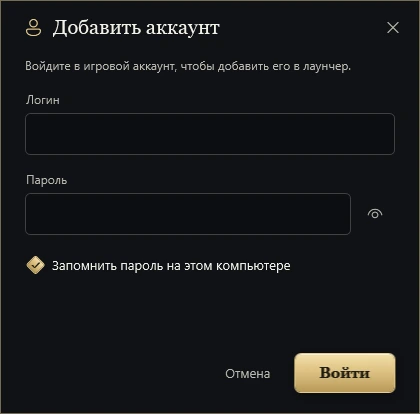
- 02Passwords are stored through Windows DPAPI per account and only after a successful sign-in with explicit consent
- 03The session token is verified through the account API in the background and before launch; an unavailable account service does not block the game for a saved account
- 04401/403 and server-side token revocation reset the sign-in; there is no hidden re-login with the saved password
- 05Requests are signed against server time: on clock drift the request is retried with the server's timestamp
- 01The launcher checks the manifest on start and every 3 hours; the manifest is ECDSA P-256 signed and the installer is accepted only with a matching size and SHA256
- 02Three update levels: regular, mandatory and critical; a critical update installs itself on start with no “Later” and no cancel
- 03Silent install: the launcher closes, the installer waits for it, swaps folders by renaming and reopens the launcher; the game folder and settings stay untouched
- 04NSIS installer with a native C++ helper: SHA256 verification of every package file, rejection of symlinks, hardlinks, UNC and path substitution
- 05Program Files and regular folders are supported, including exFAT; user folders are written under a restricted token of the same Windows account
- 06Clean uninstall: the game and unknown files stay, only launcher data of the current Windows profile is removed
- 01“Launch problems”: checks whether Microsoft Defender interferes with the client and, with the player's consent, adds the game folder to exclusions
- 02Clock check against the account server and time repair: standard Windows sync first, server time when sync is unavailable
- 03Detection of stuck game processes that hold files and break verification
- 04Structured diagnostics log: only enumerated events and numeric codes, no paths, addresses, credentials or exception text
- 05Diagnostics script for support: Windows and updates, antivirus, interfering software, hosts and proxy, TLS and certificates, DNS and server ports, clock, launcher log
- 06A ready “Summary” in the report: which server is down, which file failed to decode and what the player can do to fix it themselves
- 01Native bootstrap before the CLR starts: clears CLR environment variables, verifies the SHA256 catalog of dependencies and holds the files open until the worker exits
- 02In Release, server addresses come only from the embedded catalog: arbitrary URLs from settings or neighbouring files are ignored
- 03TLS compatibility for older systems and a single launcher instance per machine
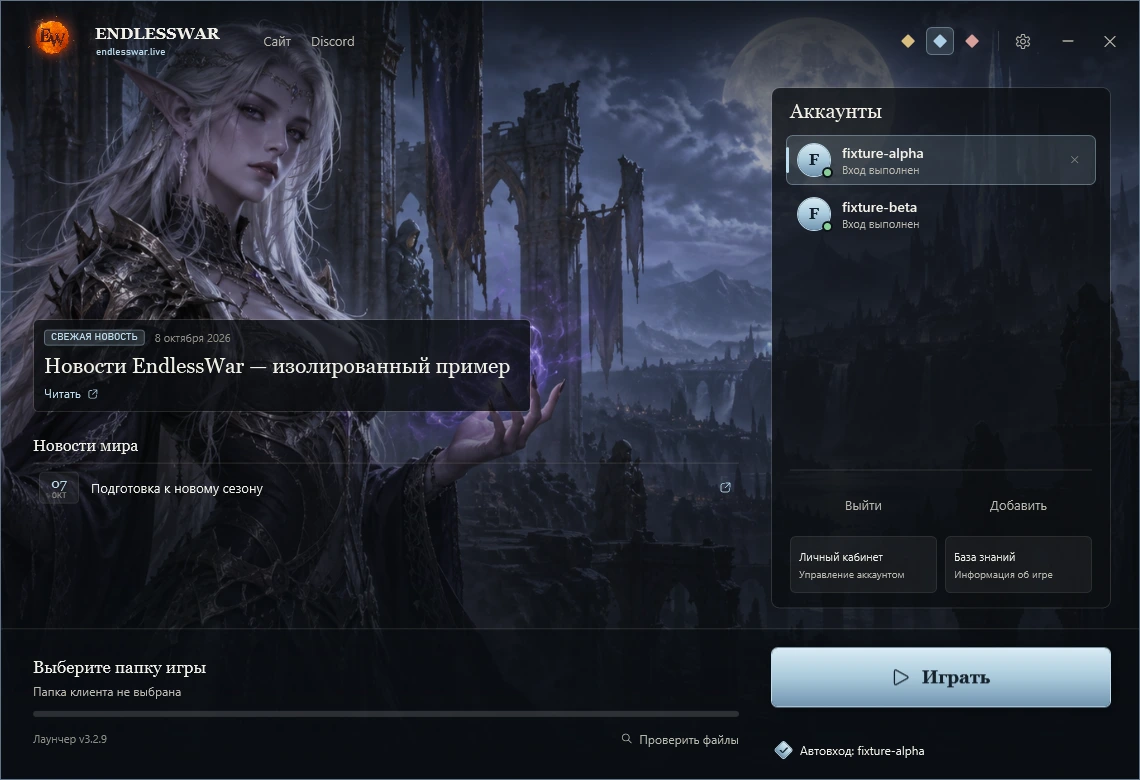
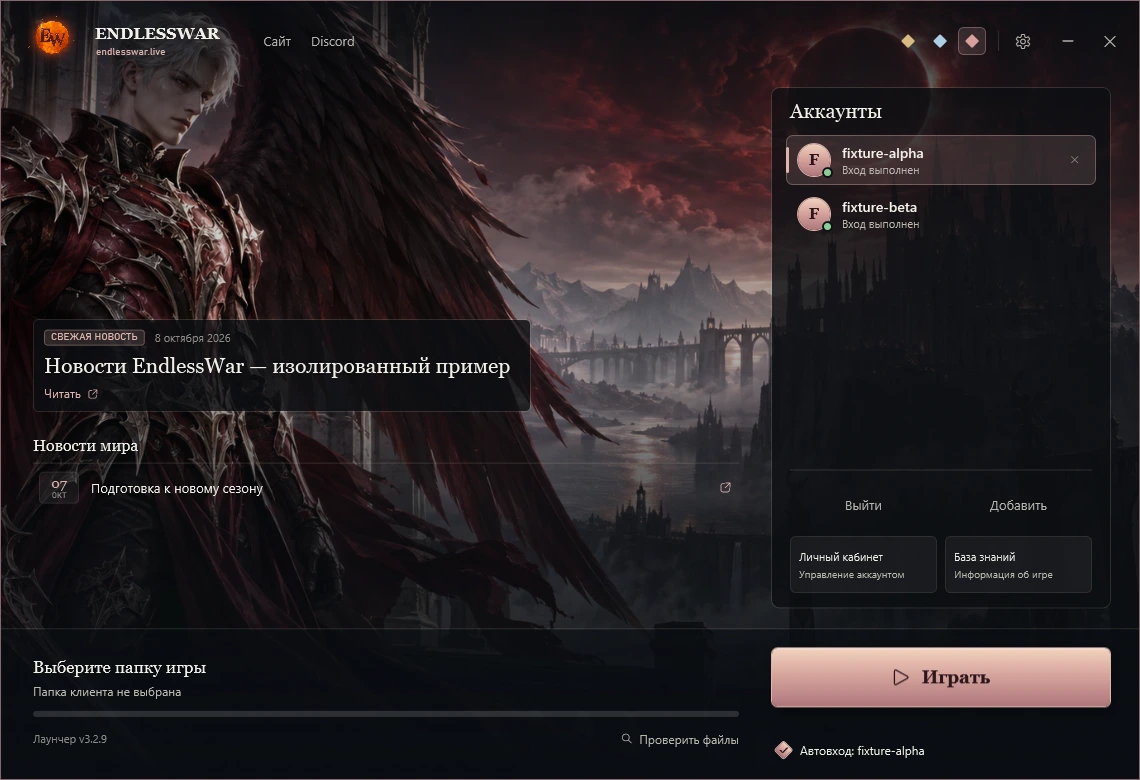
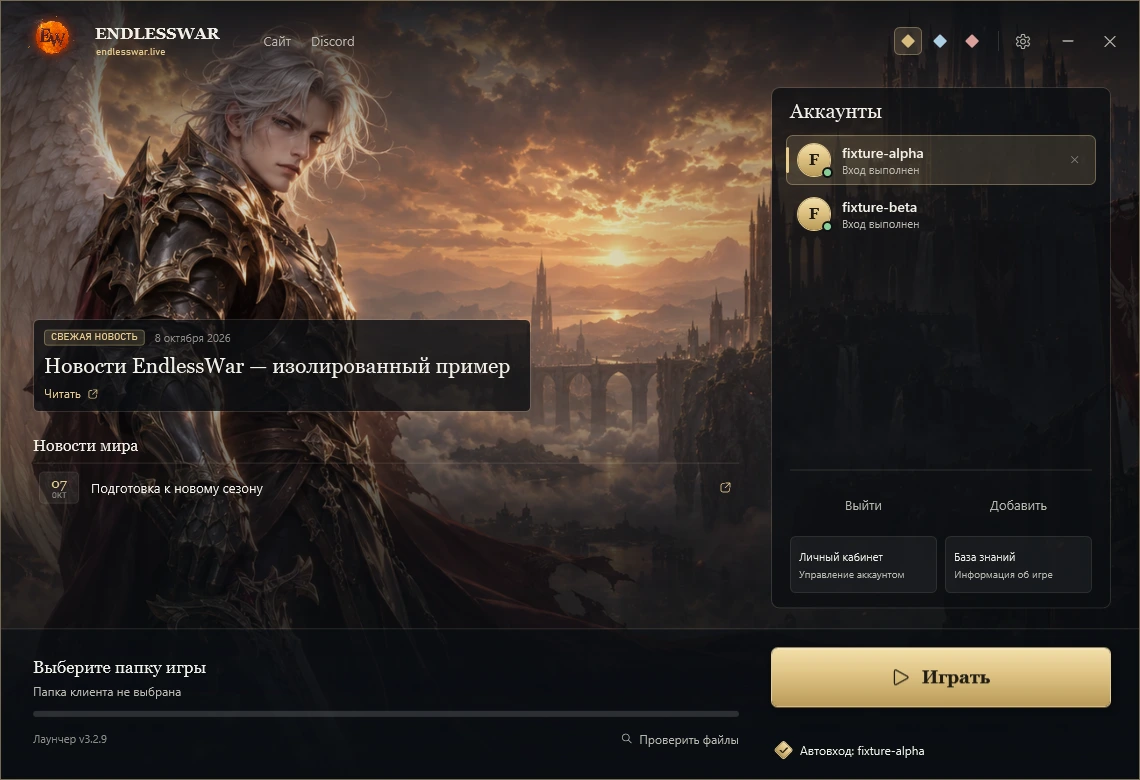
- 01WPF without third-party UI libraries, three themes: Sunset, Eclipse and Moon
- 02World news from the site and forum, a “Fresh news” banner from the account service; the list refreshes while the launcher is open
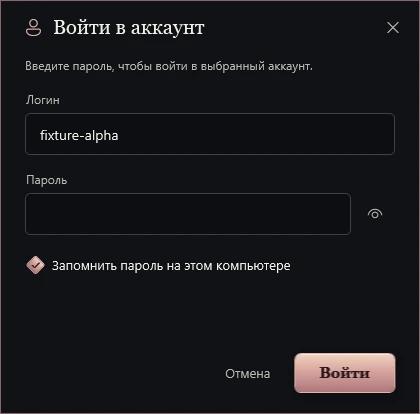
- 03Accounts in the right panel, adding and re-signing in through a separate modal; credentials never live on the main screen
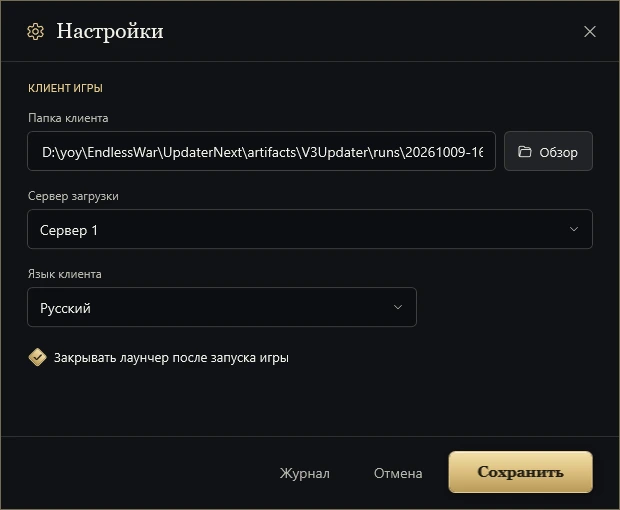
- 04Settings: client folder, download server, client language, close the launcher after the game starts
- 05Download progress with the current server name and clear error texts, “Retry” and “Verify files” buttons
- 06Shortcuts to the account service, knowledge base, site, Discord and Telegram
- 01A single PowerShell build script: Check, Dev and Release modes, ZIP package, installer, signed update manifest and a report with hashes
- 02Pinned .NET runtime and 7-Zip versions with SHA256 verification; tools and keys live outside the sources
- 03Tests: auth and network failures, download and engine, bootstrap, clock, self-update, sessions, RuntimeTrust, installer and uninstall cleanup
- 04Isolated UI checks with screenshots of every theme in the Dev build
- 05Source encoding checks and UTF-8 at every entry point: Russian text in the installer and build never breaks
- 06Native C++ builds with /W4 /WX and a static CRT; the obfuscated core is verified after the build
An author score across axes.
- Role
- Built from scratch: architecture, C#/WPF, native C++ bootstrap, update engine, installer, build pipeline and tests
- Build time
- 2026 – н.в.
- Status
- Desktop app
- Year
- 2026 – н.в.
- Link
- endlesswar.live